


Thumbtack for Professionals
3.214.81K Reviews
App Specs
- Version
- 457.0
- Updated On
- License
- Free
- Downloads
- 1,000,000+
- Developer
- Thumbtack
- Categories
- Business
- Platform
- Android, iOS
Screenshots
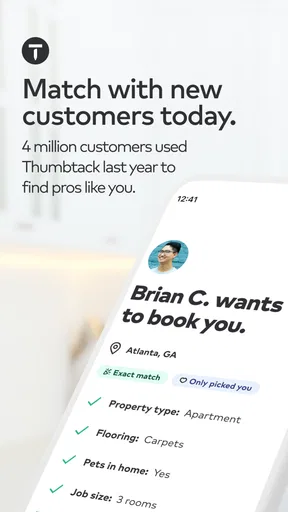
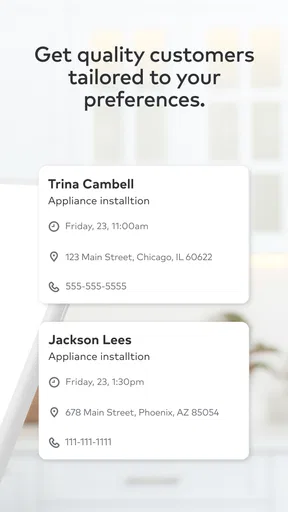
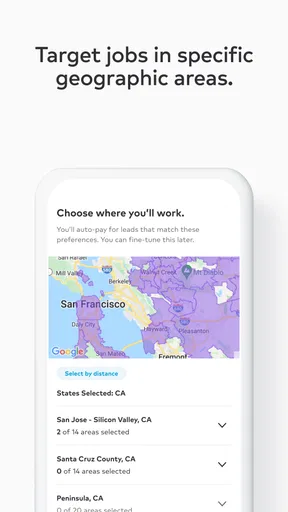
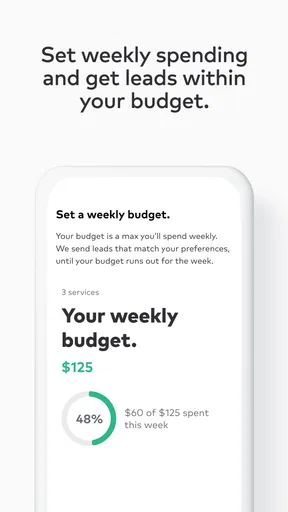
 Analysis by AppCompare
I used Thumbtack for Professionals as a working tool rather than as a casual marketplace app, and that distinction matters. It is a business app from Thumbtack built around helping service professionals find potential customers and turn those contacts into work. The free download makes it easy to try, but the real question is not whether installing it costs anything. The real question is whether the opportunities it brings are relevant enough, and manageable enough, to justify your time and any lead-related spending you may encounter while using the platform.
My overall impression is mixed in a useful way. The app can be valuable when your services are clearly defined, your service area is realistic, and you respond quickly. It is less attractive if you are hoping for a passive stream of guaranteed jobs or if every customer inquiry must fit a very narrow budget. I would recommend approaching it as one customer-acquisition channel, not as a replacement for referrals, a personal website, or established local relationships.
How Thumbtack for Professionals works in everyday business use
The basic idea is straightforward: you present your professional services, indicate the kinds of work you want, and look for customer opportunities that match your business. In practice, the quality of the experience depends heavily on how carefully you define that profile. A broad profile may expose you to more requests, but it can also attract people looking for work you do not really want. A focused profile usually gives you a better chance of spending your attention on suitable prospects.
I found that the app makes most sense for independent professionals and small teams that already know their ideal customer. A cleaner, a photographer, a tutor, a handyman, an event professional, or another local service provider can use it to widen their reach beyond personal recommendations. The platform is not just a digital business card; it is a place where your availability, service description, location, and response habits influence whether a request is worth pursuing.
That means the first useful step is not sending replies. It is deciding what you will decline. If you normally work within a particular distance, with a certain project size, or for a specific type of client, make those boundaries part of your operating routine. This prevents the common mistake of treating every request as a possible sale and then discovering that travel, preparation, or negotiation makes the job unprofitable.
The cost question: free access is not the same as free customer acquisition
Thumbtack for Professionals is free to install, and the app is rated for Everyone. That makes trying it relatively low-risk from an access standpoint. It is available on devices running at least iOS 9, and the current listed version is 456.0. Those details make the app approachable for many users, including professionals who are not using the newest phone or tablet.
However, I would not describe the entire business experience as automatically cost-free. The free price tells you what it costs to obtain the app, not what every customer interaction will be worth to your business. Lead-based marketplaces can involve decisions about which opportunities deserve attention or spending, so you should judge each request against your expected profit rather than reacting emotionally to the possibility of a new client.
Worth Reading Before You Choose

EA SPORTS FC Mobile 26 Is a Bigger Football Game, but It Takes Time

Flipboard Shows What News Apps Must Do Beyond the Feed

Switching to Android Auto Means Rethinking Your Driving Routine

Google Calendar Makes a Crowded Week Easier to Manage

Ludo King Makes the Most of the Minutes Between Plans

Baby Panda World Brings Quick Play to Modern Phones, but Its Game Library Feels Busy
My practical advice is to set a simple acquisition limit before you begin. Decide how much time and money you are willing to devote to testing the channel, then track whether completed work covers that investment. Do not measure success by the number of messages received. Measure it by qualified conversations, booked jobs, repeat work, and the amount left after travel, supplies, taxes, and your own working hours.
This is especially important for low-margin services. A small project can look attractive until you include a long drive, a lengthy consultation, or several unanswered messages. On the other hand, a larger project or a customer who may return regularly can justify more effort. The app cannot make that business calculation for you; your profile and workflow need to do it.
Where the app delivers value
The strongest value is convenience. Instead of waiting for a referral or building an audience from scratch, you can look for people who are already searching for help. That shortens the distance between “I offer this service” and “someone may need it now.” For a newer professional, that exposure can be useful while building a portfolio and learning which requests are genuinely worth pursuing.
Another benefit is discovery. Customer requests can reveal how people describe a problem in ordinary language. A professional may call a service one thing, while customers search for it using another phrase. Paying attention to those patterns can improve the wording of your profile and help you explain your offer more clearly elsewhere, including in your own messages and social pages.
I also see value in using the app as a filter for demand, not merely as a source of leads. If you repeatedly receive requests for a service you have not emphasized, that may suggest an opportunity to adjust your offering. If you see plenty of requests but very few that fit your location or schedule, the lesson may be that your target area is too broad or your service settings need refinement.
A useful workflow is to review requests at a fixed time rather than checking constantly. For example, I would reserve a short morning session and another later in the day, then reply only to opportunities that pass three tests: the work matches my skills, the location fits my route, and the likely value justifies the response time. This keeps the app from interrupting every other part of the business.
Small workflow choices that make a real difference
The first non-obvious lesson is that speed should not replace qualification. A fast reply is helpful, but a rushed generic message can make you look interchangeable. I would mention one detail from the request, state the next practical step, and ask only the question needed to estimate the job. That approach feels more personal without turning every inquiry into a long interview.
The second is to separate “interesting” from “ready.” Some people are comparing options and may not have enough information to choose anyone. Others know exactly what they need and are trying to schedule it. Your response should match that difference. For an early-stage inquiry, a concise explanation of your process may be more useful than an aggressive attempt to close. For a ready customer, too much back-and-forth can create unnecessary friction.
The third is to keep a private record outside the app. Note the request type, your response, the outcome, and the time spent. This is not busywork. After a few weeks, you can see whether a certain service produces serious conversations or merely consumes attention. You can also identify which descriptions lead to clearer requests and which ones attract poor-fit work.
A fourth useful habit is to prepare several honest response templates, but personalize the opening and the questions. Templates save time, while personalization shows that you actually read the request. I would avoid promising availability, a final price, or a result before understanding the job. Overpromising may win a conversation and lose trust later.
The tradeoffs I would consider before relying on it
The biggest tradeoff is control. A personal referral gives you more context and often more trust before the first conversation. A marketplace request can give you reach, but you may be competing with other professionals and speaking to a customer who is still comparing alternatives. That can make price a larger part of the discussion than it would be with a recommendation from someone the customer already knows.
There is also a quality tradeoff. More visibility does not automatically mean better visibility. If your profile is too general, you may spend time explaining why you are not the right person for a request. If it is too narrow, you may miss work that you could have handled profitably. Finding the middle ground requires regular adjustment rather than a one-time setup.
Response management can become another source of friction. A busy professional may be excellent at the actual service but slow at answering messages. On a platform where customers can compare options quickly, that delay can reduce the practical value of being listed. If you cannot monitor inquiries consistently, the app may create more unfinished conversations than completed jobs.
I would also avoid assuming that an inquiry equals revenue. Customers can change their plans, request several estimates, or decide not to proceed. That is normal in service work, but it means your business needs a follow-up routine and realistic expectations. The app can help start conversations; it cannot guarantee that every conversation becomes paid work.
Another limitation is that marketplace activity can encourage reactive scheduling. If you accept every promising request, your calendar may become fragmented with small jobs, long travel gaps, and last-minute changes. I would group work by area when possible and protect time for existing customers. New leads should strengthen your schedule, not quietly take it over.
A realistic day with the app
Imagine a self-employed home-service professional who has an open afternoon later in the week. They review new requests and find one nearby project that fits their normal work. Instead of replying with a vague “I can help,” they confirm the type of task, ask for the detail that affects preparation, and explain when they could visit. They then compare the likely job value with travel and materials before agreeing.
If the customer is still deciding, the professional can provide a clear next step without spending half an hour writing messages. If the request is outside the service area or requires work they do not offer, declining quickly is better than keeping the conversation alive. The time saved can go toward an existing client, a follow-up, or improving the profile.
At the end of the week, the professional reviews which requests became serious discussions and which ones did not. That review may show that a particular service description attracts better-fit customers, while another produces frequent price-shopping. The app then becomes a source of business information as well as a lead channel. That is a more durable benefit than simply counting new notifications.
Who will get the most value
I think the app is best suited to professionals who can describe their work clearly and respond reliably. It is particularly useful if you are building a local client base, have unused capacity, or want to test demand for a service without immediately investing in a large advertising campaign. It can also help an established provider diversify beyond a small circle of referrals.
You will get more from it if your service has a clear outcome. Customers usually understand a defined need more easily than a broad promise to “help with anything.” A focused offer makes it easier to answer requests, estimate the work, and decide whether the opportunity belongs in your schedule.
It is less suitable for someone whose work depends almost entirely on long-term relationships, confidential referrals, or highly specialized contracts. A professional who has no time to answer inquiries should also be cautious. Installing a free app does not create capacity, and a neglected profile may be less useful than a smaller number of carefully managed referral sources.
I would also skip it as a primary channel if your service area is extremely limited and customer demand is sparse. In that situation, local networking or direct relationships may produce better conversations. Likewise, if your business competes only on the lowest price, a marketplace environment can be uncomfortable because it may push you into comparisons that ignore quality, reliability, and total value.
How it compares with the usual alternatives
Compared with word-of-mouth referrals, Thumbtack for Professionals offers broader discovery but usually less built-in trust. A referral may arrive with a personal recommendation attached; a marketplace request often requires you to establish credibility from the beginning. The app is therefore useful when your referral pipeline is thin, while referrals remain preferable when they already bring a steady flow of suitable work.
Compared with building your own website, the app can provide a faster route to customer conversations. Your own site gives you more control over branding, information, and the long-term relationship, but it may take time and effort before people find it. I would use the marketplace to support early discovery while gradually building assets I control directly.
Compared with social media, the intent can be different. Social platforms are good for showing personality, projects, and ongoing activity. A professional marketplace is more directly connected to people seeking a service. Social media may be stronger for visual work and repeat awareness, while Thumbtack can be more practical when the customer already has a specific need.
Compared with traditional local advertising, the app can feel more targeted because you are responding to requests rather than broadcasting to everyone nearby. The tradeoff is that you may have less control over the competitive setting and the quality of each inquiry. I would test it alongside existing channels instead of replacing an advertising method that already produces profitable customers.
What I would check before committing time
Before using the app seriously, I would prepare a short description of the exact work I want, a realistic service radius, and a response process I can maintain. I would also decide which projects are not worth taking. Those decisions protect the business from the temptation to accept work simply because it appeared on the screen.
I would then run a limited trial and track outcomes privately. Look at the time spent answering, the number of qualified conversations, the jobs actually booked, and the profit after job expenses. If the results are weak, change one part of the profile or targeting at a time. Otherwise, you will not know whether the problem is the service description, the area, the type of request, or the follow-up.
Keep expectations grounded by remembering that the platform is a tool, not a sales employee. It can put opportunities in front of you, but your judgment determines which ones deserve a reply. The best results are likely to come from professionals who treat each request as a business decision rather than as a notification that must be answered.
My verdict on the free app
With an average rating of 3.2 from roughly twenty-five thousand ratings, the public response is clearly mixed rather than universally enthusiastic. I read that as a reason to test the workflow for yourself, not as an automatic rejection. Experiences can vary widely depending on the profession, location, availability, and expectations about customer acquisition.
The app has reached more than a million installs, which shows that it is a familiar option for professionals looking for marketplace-based work. Thumbtack, the developer, has kept the product active through its current version, but popularity alone does not prove that it will fit your business model. Your own conversion and profit notes matter more than the install count.
My recommendation is to try it if you need qualified local exposure and can manage inquiries with discipline. Treat the free installation as an opportunity to evaluate the channel, not as evidence that acquiring customers will require no investment of time or money. Define your boundaries, respond with useful questions, and measure booked work instead of activity.
I would skip it if you want guaranteed jobs, dislike comparing opportunities, or already have a strong referral system that fills your schedule with better-fit customers. For everyone else, it can be a worthwhile addition to a broader plan, especially when used selectively. Thumbtack for Professionals is most valuable when it helps you make better choices about which customers to pursue, not when it simply gives you more messages to answer.
Pros
- Helps manage leads
- messages
- quotes
- and bookings in one place.
- Lets professionals set service areas
- job types
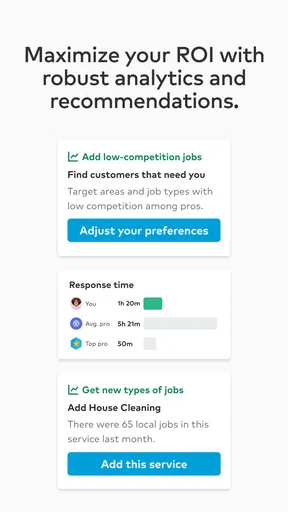
- and lead preferences.
- Profile reviews and photos can strengthen customer trust.
- Useful notifications help respond quickly to new customer requests.
- Supports many trades
- from cleaning and repairs to events and wellness.
Cons
- Lead costs can add up
- especially when customers contact multiple pros.
- Some inquiries may be low quality or unlikely to book.
- Competition can be intense in popular service categories and locations.
- Results depend heavily on profile quality
- reviews
- and response speed.
- Availability and features may vary by region and service type.
FAQs for Thumbtack for Professionals
What is Thumbtack for Professionals, and who is it designed for?
Thumbtack for Professionals is an app for service providers who want to find potential customers and manage jobs from a mobile device. It is designed for professionals such as cleaners, handymen, photographers, tutors, movers, landscapers, and other local specialists. After creating a profile, you can present your services, respond to customer requests, communicate with leads, and organize your work more efficiently.
Does Thumbtack for Professionals guarantee new customers or completed jobs?
No. Thumbtack can help you discover customer requests and promote your services, but it does not guarantee that you will receive bookings or earn a specific amount of money. Results depend on your location, category, profile quality, pricing, reviews, availability, and how quickly you respond. You should treat the platform as a lead-generation tool rather than a guaranteed source of work.
Do professionals have to pay to use Thumbtack for Professionals?
Using Thumbtack for Professionals may involve costs, particularly when responding to certain customer leads or using promotional features. Pricing and lead charges can vary according to the service category, location, customer request, and current Thumbtack policies. Before accepting a lead or enabling paid features, review the displayed cost and account settings carefully so you understand how charges may affect your budget.
What information and features can professionals manage in the app?
The app allows professionals to create and update a business profile, add service details, upload photos, set availability, define service areas, and communicate with potential customers. Depending on the category and region, you may also be able to send quotes, manage bookings, track conversations, collect reviews, and adjust preferences. Keeping your profile, prices, and availability accurate can improve the quality of inquiries you receive.
Is Thumbtack for Professionals safe to use when communicating with customers?
Thumbtack provides tools for communicating with customers and reviewing job details, but professionals should still use normal safety precautions. Confirm the customer’s requirements, location, schedule, payment expectations, and any access instructions before accepting a job. Avoid sharing unnecessary personal information, be cautious with unusual payment requests, and follow local business, licensing, insurance, and tax requirements when providing services.


